Artificial intelligence is quickly becoming another everyday workplace tool.
But there’s an important difference between having access to AI and actually knowing how to use it productively.
Opening an AI assistant and asking random questions probably won’t transform your workday.
The real benefits appear when you identify repetitive, time-consuming or information-heavy tasks where AI can assist you.
That might mean drafting an email, summarizing a long document, organizing meeting notes, brainstorming ideas or turning scattered information into a structured plan.
And emerging research suggests that these tools can produce measurable productivity benefits in certain workplace settings.
A large field study published by the National Bureau of Economic Research examined 5,179 customer-support agents and found that access to a generative AI assistant increased issues resolved per hour by about 14% on average. The gains were considerably larger among less experienced workers. NBER
That doesn’t mean AI automatically makes every worker 14% more productive.
The study examined a particular type of work and a particular AI implementation.
But it demonstrates something important:
AI can be useful when it’s applied to the right task.
If you’re completely new to artificial intelligence, start with BriefTop’s beginner’s guide to using AI.
Now let’s look at practical ways to put those skills to work.
1. Draft Emails Faster
Email is one of the easiest workplace tasks to improve with AI.
Instead of spending several minutes figuring out how to phrase a message, give the AI the important information and ask it to create a first draft.
For example:
Write a friendly but professional email to a client explaining that the project update will be delivered Friday instead of Thursday. Apologize briefly for the delay and keep the message under 120 words.
You can then refine it:
Make it warmer.
Or:
Make it more concise.
Or:
Give me three subject-line options.
The goal isn’t necessarily to send the generated email untouched.
Let AI create the first draft, then review it yourself.
This is one area where workplace research has found measurable time savings. A randomized field experiment involving thousands of knowledge workers found that users of an integrated generative-AI tool spent less time dealing with email. Microsoft Research’s workplace study reported that active users spent roughly two fewer hours on email per week during the latter half of the experiment. Microsoft
2. Summarize Long Documents
Imagine receiving a 40-page report when you primarily need to understand:
What changed?
What matters?
What actions are required?
AI can help create an initial summary.
Instead of simply asking:
Summarize this.
Try:
Summarize this document in five key points. List important dates and numbers separately, then identify any decisions or action items mentioned in the document.
That produces a much more useful result.
For a technical report, you might ask:
Explain this report in plain English for someone who doesn’t specialize in this field. Don’t omit important limitations.
But don’t treat an AI summary as a substitute for reading critical source material.
If a contract, financial report, medical document or important business decision depends on precise wording, check the original.
3. Turn Meeting Notes Into Action Items
Meeting notes often become a messy collection of names, ideas and decisions.
AI can help reorganize them.
Paste your notes and ask:
Organize these meeting notes into four sections: decisions, action items, unresolved questions and next steps. Assign action items only when the notes clearly identify a responsible person.
That last instruction matters.
Without it, an AI system may make assumptions.
You could also request:
Create a concise follow-up email summarizing the decisions and next steps from these notes.
This turns unstructured information into something easier to use.
Just remember not to upload confidential meeting information into a tool unless your organization’s policies permit it.
4. Prepare for Meetings
AI can also help before a meeting.
Suppose you’re meeting a potential client.
You could provide appropriate background information and ask:
Based on the information below, create 10 questions I should ask during the meeting. Focus on understanding the client’s goals, timeline, budget constraints and current problems.
For an internal project meeting:
Create a 30-minute meeting agenda covering project progress, current blockers, upcoming deadlines and responsibilities.
You can even ask:
Which questions are we failing to answer with this agenda?
That turns AI from a simple writing tool into a preparation assistant.
5. Brainstorm Ideas
Everyone occasionally gets stuck.
AI can help generate starting points.
For example:
Give me 20 ideas for increasing customer retention for a small subscription business. Group them into low-cost, medium-effort and long-term strategies.
Or:
Generate 15 possible headlines for this presentation. Give me five straightforward options, five curiosity-driven options and five executive-style options.
The important word here is starting.
You don’t need to accept every suggestion.
Evaluate the ideas yourself.
Combine the useful ones.
Reject the weak ones.
Then develop the strongest concepts.
6. Create First Drafts
The blank page can be one of the slowest parts of knowledge work.
AI can help you get past it.
You can use it to draft:
Reports.
Proposals.
Presentations.
Internal announcements.
FAQs.
Documentation.
Project descriptions.
Training materials.
For example:
Create an outline for a quarterly performance report. Include sections for revenue, customer growth, major accomplishments, problems and next-quarter priorities.
Once you have the structure, you can add your actual data and expertise.
Research suggests AI can affect document-related work as well. A Microsoft randomized experiment across thousands of workers found that employees given access to an AI productivity tool completed documents faster on average, although effects varied across users and tasks. Microsoft
7. Rewrite Difficult Information in Plain English
Workplaces are full of complicated language.
Policies.
Technical explanations.
Reports.
Instructions.
AI can help simplify them.
For example:
Rewrite this explanation in plain English for a non-technical employee. Preserve all numbers, dates and requirements exactly.
Or:
Explain this technical concept using one practical example. Define any specialized terms you can’t avoid.
This is especially useful when people from different departments need to communicate.
A developer may need to explain something to marketing.
Finance may need to communicate with operations.
A manager may need to explain a complicated process to a new employee.
AI can help bridge those communication gaps.
8. Create Checklists From Complicated Processes
Long instructions aren’t always easy to follow.
AI can transform them into a checklist.
For example:
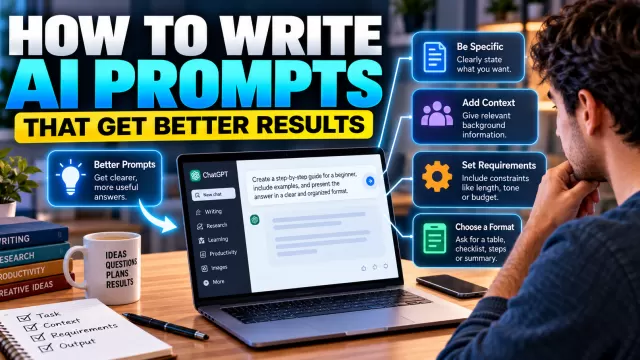
And if you’re struggling to get useful responses, our guide to writing better AI prompts explains how context, constraints and formatting instructions can improve your results.
Convert the following procedure into a step-by-step checklist. Preserve every mandatory requirement and clearly mark anything that requires approval.
This can work well for:
Employee onboarding.
Publishing workflows.
Event preparation.
Quality-control procedures.
Project launches.
Routine administrative processes.
Again, verify the checklist against the original procedure before using it for something important.
AI can accidentally omit details.
9. Organize Your To-Do List
A long list of tasks can be difficult to prioritize.
AI can help structure it.
For example:
Organize these tasks into urgent, important and optional. Don’t remove anything. Then suggest an order for completing them based on the deadlines I’ve provided.
You can add time constraints:
I have four hours available today. Create a realistic schedule using the tasks below. Include two 15-minute breaks.
This doesn’t mean AI should control your schedule.
It simply gives you a structured starting point that you can adjust.
10. Analyze Information
AI can help identify patterns in information you provide.
Suppose you have dozens of customer comments.
You might ask:
Group these customer comments by recurring theme. Identify the five most common complaints and provide three representative examples for each category.
Or:
Compare these monthly reports and identify major changes. Don’t speculate about why something changed unless the reports provide evidence.
That last sentence is useful because pattern recognition and causal explanation aren’t the same thing.
Finding that sales decreased is one thing.
Knowing why sales decreased requires evidence.
Use AI to organize the evidence, not manufacture explanations.
11. Create Tables and Comparisons
AI is particularly useful when information exists but isn’t organized.
Suppose you have several software options.
Instead of manually creating a comparison, provide verified information and ask:
Compare these tools in a table with columns for price, major features, limitations and target user. Use only the information I’ve provided.
The same approach works for:
Vendors.
Projects.
Plans.
Products.
Proposals.
Strategies.
Research findings.
A well-structured table can make complicated information much easier to evaluate.
12. Prepare Presentations
AI can help turn raw information into a presentation structure.
For example:
Turn this report into a 10-slide presentation for senior management. Give each slide a title, three key points and one suggestion for a useful chart or visual.
Then review the proposed structure.
You may realize that:
Two slides should be combined.
A major finding deserves more attention.
A section isn’t relevant to the audience.
Or the conclusion isn’t supported strongly enough.
That’s where human judgment remains essential.
AI can accelerate the construction process.
You decide what belongs in the final presentation.
13. Learn New Workplace Skills
AI can also act as a tutor.
Suppose your job suddenly requires Excel.
Instead of searching randomly for tutorials, you could ask:
Create a 30-day Excel learning plan for someone who understands basic spreadsheets but doesn’t know formulas, pivot tables or charts. I can study 30 minutes each weekday.
Then:
Teach me day one.
Or:
Give me a practice exercise for SUMIF without showing the answer immediately.
This can also work for:
Programming.
Writing.
Data analysis.
Presentation skills.
New software.
Industry terminology.
Foreign languages.
Research published by NBER suggests AI assistance may be particularly useful for some less-experienced workers. In its customer-service study, the largest productivity gains occurred among novice and lower-skilled workers, suggesting that AI can sometimes help distribute knowledge or best practices more quickly. NBER
That finding shouldn’t automatically be generalized to every profession, but it’s an interesting example of AI functioning as more than simple automation.
14. Build Reusable Templates
If you repeatedly perform the same task, don’t start from scratch every time.
Ask AI to create a reusable template.
For example:
Create a reusable weekly project-status template containing accomplishments, current tasks, blockers, upcoming deadlines and decisions needed.
Or:
Create a customer follow-up email template with placeholders for the customer’s name, meeting topic, next action and deadline.
You can save useful templates for repeated use.
Better still, save the prompt that created them.
Over time, you can build your own small library of AI-assisted workflows.
15. Use AI as a Second Pair of Eyes
One of AI’s most useful roles isn’t creating something.
It’s reviewing something you created.
For example:
Review this proposal for clarity. Identify sections that are repetitive, vague or difficult to understand. Don’t rewrite it yet.
Or:
Look for inconsistencies between these two sections.
Or:
What questions might a skeptical client ask after reading this proposal?
Or:
Review this email and tell me whether any sentence could easily be misunderstood.
This approach keeps you in control.
You create.
AI reviews.
You decide whether the feedback is useful.
AI Productivity Isn’t the Same for Everyone
It’s tempting to claim that AI automatically makes everyone dramatically more productive.
The research is more nuanced.
In the NBER customer-support study mentioned earlier, productivity increased about 14% on average, but the effects differed substantially by worker experience. NBER
A separate cross-industry randomized experiment covering thousands of knowledge workers found meaningful reductions in time spent on email among AI users, but didn’t find equally large changes across every category of work. NBER
More recent Microsoft Research examining workplace adoption also found that AI use can shift how people divide their time between communication and individual productivity activities. The researchers cautioned that productivity gains and organizational effects remain complex rather than uniform. Microsoft
So the useful question isn’t:
“Does AI make people productive?”
A better question is:
“Which parts of my work can AI genuinely improve?”
What Work Should You NOT Give AI?
Not every task should be delegated.
Be particularly careful when work involves:
Confidential information.
Passwords or authentication credentials.
Sensitive employee data.
Private customer information.
Unreleased company strategy.
Legally privileged information.
High-stakes decisions.
Your employer may also have specific policies governing which AI tools employees can use and what information can be uploaded.
Follow those policies.
And remember:
AI shouldn’t make important professional judgments simply because it’s convenient.
Use it to support your work.
Don’t automatically outsource responsibility.
Always Review AI-Generated Work
AI can produce information that sounds convincing and is still wrong.
It may:
Invent facts.
Misinterpret instructions.
Use outdated information.
Make calculation errors.
Omit important details.
Misrepresent sources.
That’s why human review remains essential.
Before sending AI-generated work to a customer, manager or colleague:
Read it.
Check important facts.
Verify names.
Verify dates.
Check numbers.
Confirm sources.
Make sure the tone fits the situation.
And ask yourself whether the final result actually represents what you intended to communicate.
A Better Way to Use AI at Work
Instead of asking AI to complete your entire job, think of your workflow as three stages:
You → AI → You
You define the objective.
Then AI helps with drafting, organizing, analyzing or brainstorming.
Finally, you review the output and make the decision.
This simple model preserves one of the most important advantages humans bring to AI-assisted work:
Judgment.
AI may generate 20 ideas in seconds.
You decide which idea makes sense.
AI may summarize a report.
You determine whether the summary captures what actually matters.
AI may draft an email.
You understand the relationship with the person receiving it.
The combination can be much more useful than either blindly delegating everything to AI or refusing to use the technology at all.
How to Start Using AI at Work Today
Don’t try to transform your entire workflow overnight.
Choose one repetitive task.
Maybe you spend too much time:
Writing emails.
Summarizing reports.
Preparing meeting agendas.
Organizing notes.
Creating outlines.
Formatting information.
Start there.
For one week, experiment with AI on that specific task.
Measure whether it actually saves time.
If it does, improve the prompt and turn the process into a reusable workflow.
Then move to another task.
This approach is more practical than trying dozens of AI tools without knowing what problem you’re attempting to solve.
Final Thoughts
Learning how to use AI for work isn’t about finding a machine that does everything for you.
It’s about identifying the parts of your work where artificial intelligence can remove unnecessary friction.
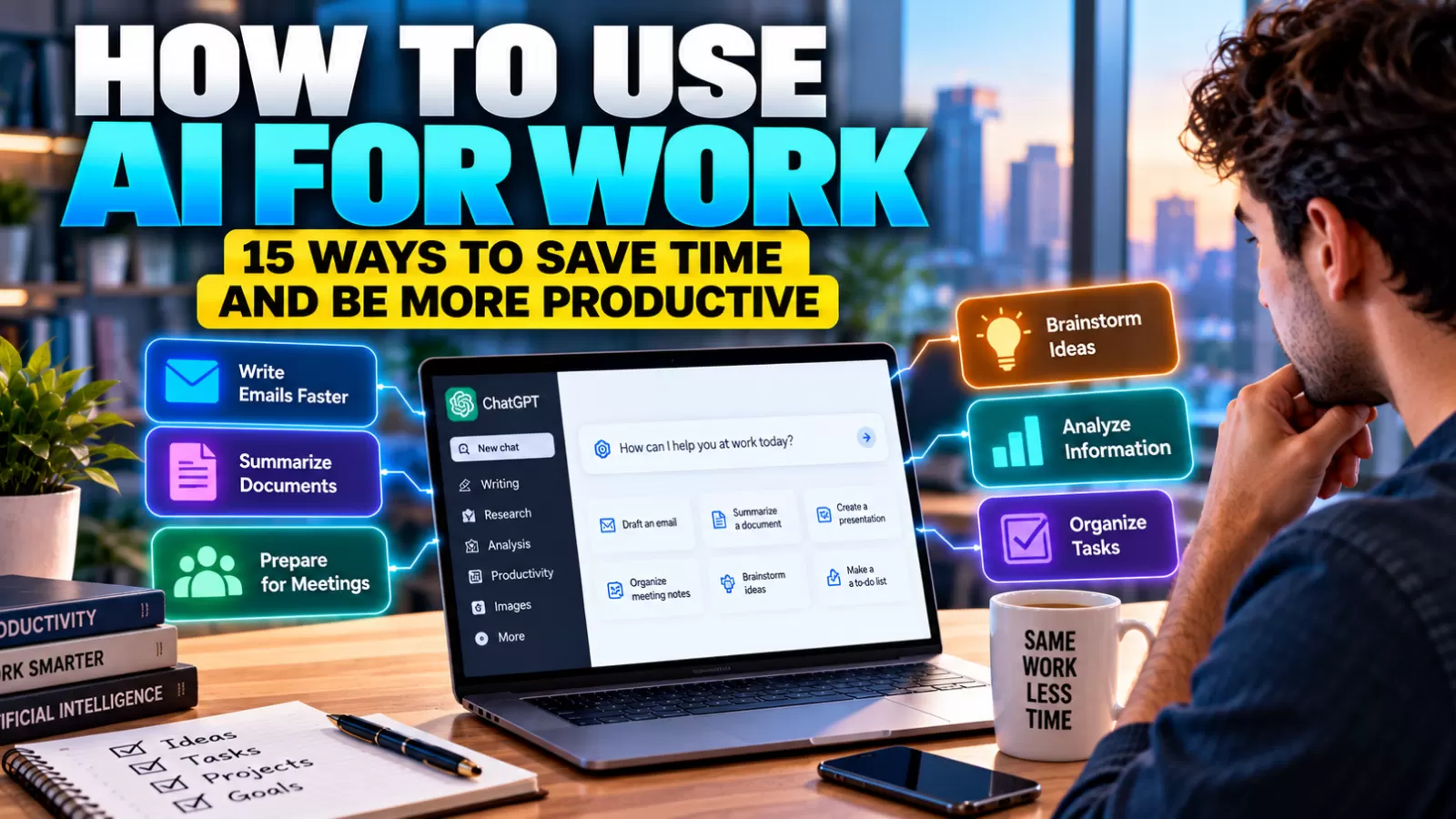
AI can help you draft emails, summarize documents, prepare meetings, brainstorm ideas, organize information, create first drafts and review your work.
Research increasingly suggests that these tools can produce real productivity benefits in certain contexts, but those gains aren’t automatic or identical across every worker and occupation. NBER
The people who benefit most may not necessarily be those using AI for everything.
They may be the people who understand when AI is useful—and when human judgment matters more.
Start small.
Give clear instructions.
Review the output.
Verify important information.
And gradually build AI into the parts of your workflow where it genuinely saves time.